BAR POS
Native multi-tenant POS for bars and restaurants. Solo build with modern AI tooling, designed around seven years of operator experience.
Running a bar requires speed, hospitality, and attention to hundreds of details that are all incredibly important.
The bartender needs to take an order, ring it in, and move on. The owner needs to track inventory, manage staff, run happy hours, watch tip distribution, stay on top of certifications, and reconcile sales at the end of the night. Most POS systems are food-first and treat the bar as an after thought.
Every extra tap is wasted time.
In the middle of a Friday rush, your POS needs too many taps to place an order, make a substitution, or look up a recipe you don't know cold. BAR POS is built to minimize that friction: 2-tap liquor substitutions, one tap for cocktail portions, surfaced prep instructions, drink images for spec. The fastest path to good service, every time.
Running a bar runs you.
Endless lists, spreadsheets, inventory reconciliation, menu management, happy hour and special pricing, tip distribution, staff training to maintain product consistency, certification tracking, and scheduling. Multiple tools that don't talk to each other, manual sales and tax reporting. Most operations stitch together six tools and three spreadsheets to keep the lights on. BAR POS tracks menu item-level inventory consumption and consolidates all of your bar management functions into a single platform.
Local-first, by design.
The first architectural decision shaped everything else. BAR POS is local-first. Every UI mutation writes to IndexedDB on the device, with background sync to Supabase running independently. A bartender taps a button and the change appears immediately, regardless of network conditions.
This matters more than it sounds. Bars are places where WiFi drops mid-shift, networks saturate at peak hours, and POS terminals can't afford to spin while waiting for a cloud round-trip. A staff member should never have to know whether the system is online. The local-first decision was about respecting how busy the work is.
The tradeoff: more complex state management and sync conflict resolution. The benefit: an app that feels native and stays responsive under exactly the conditions that break most cloud-first POS apps.
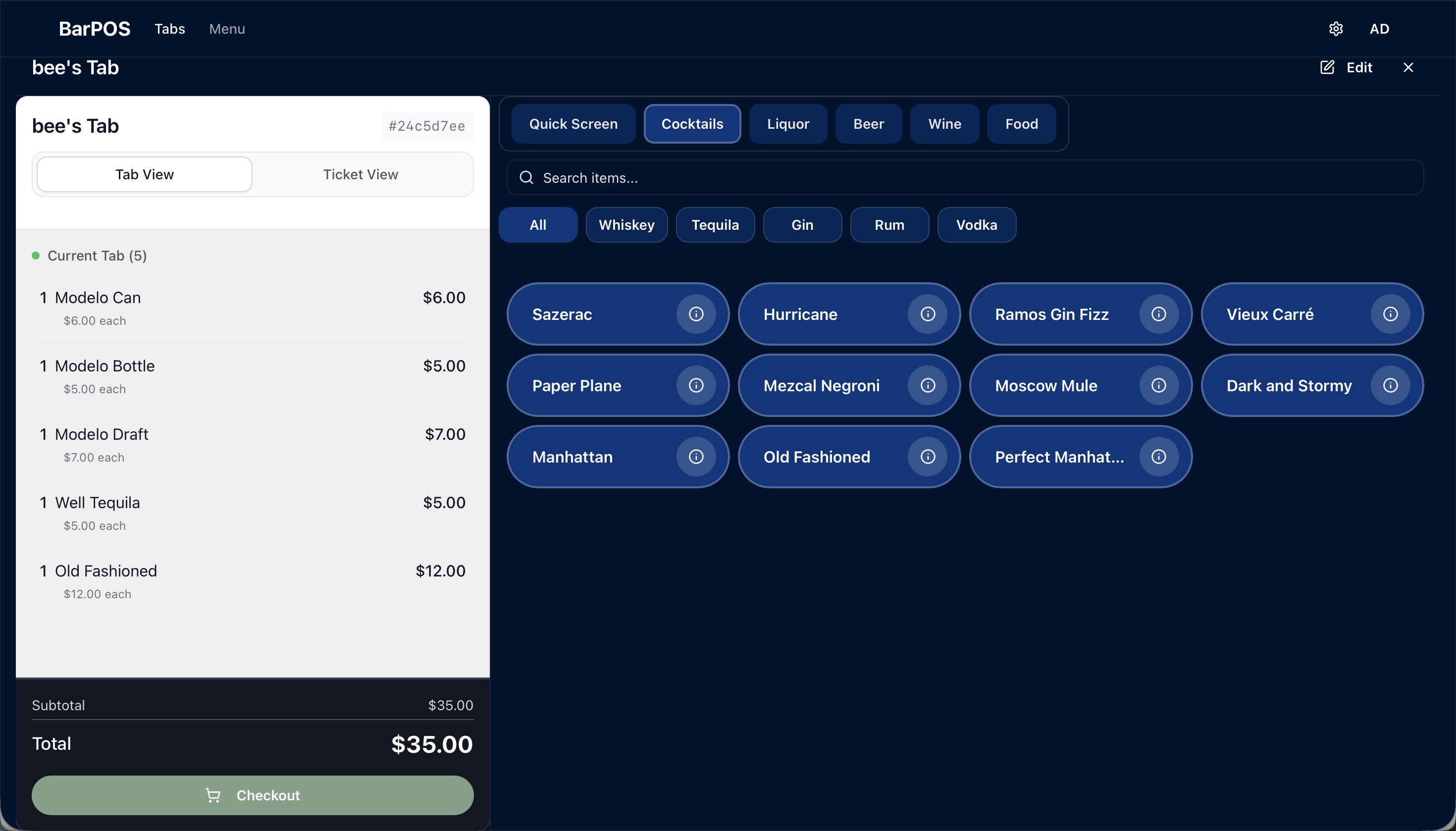
Tab view — cocktail order flow with category and spirit filters.
Three small UX decisions that compound.
Local-first solves responsiveness. Three smaller decisions, made in the same spirit, solve the rest:
Standardized button sizes
Same target size for the Modelo bottle in the beer menu as the Old Fashioned in the cocktail menu. Staff develop muscle memory for where things are, not just what they are.
Contextual data surfacing
No tab total displayed on an unopened tab. No price on the menu item button. Information shows up where it's needed for the next action and stays out of the way the rest of the time.
Toggleable Tab view / Ticket view
Tab view is the running receipt. Ticket view groups items by round. The latter means a server can re-order an entire round with two taps instead of re-ringing every drink — a small change that saves real time during a peak rush.
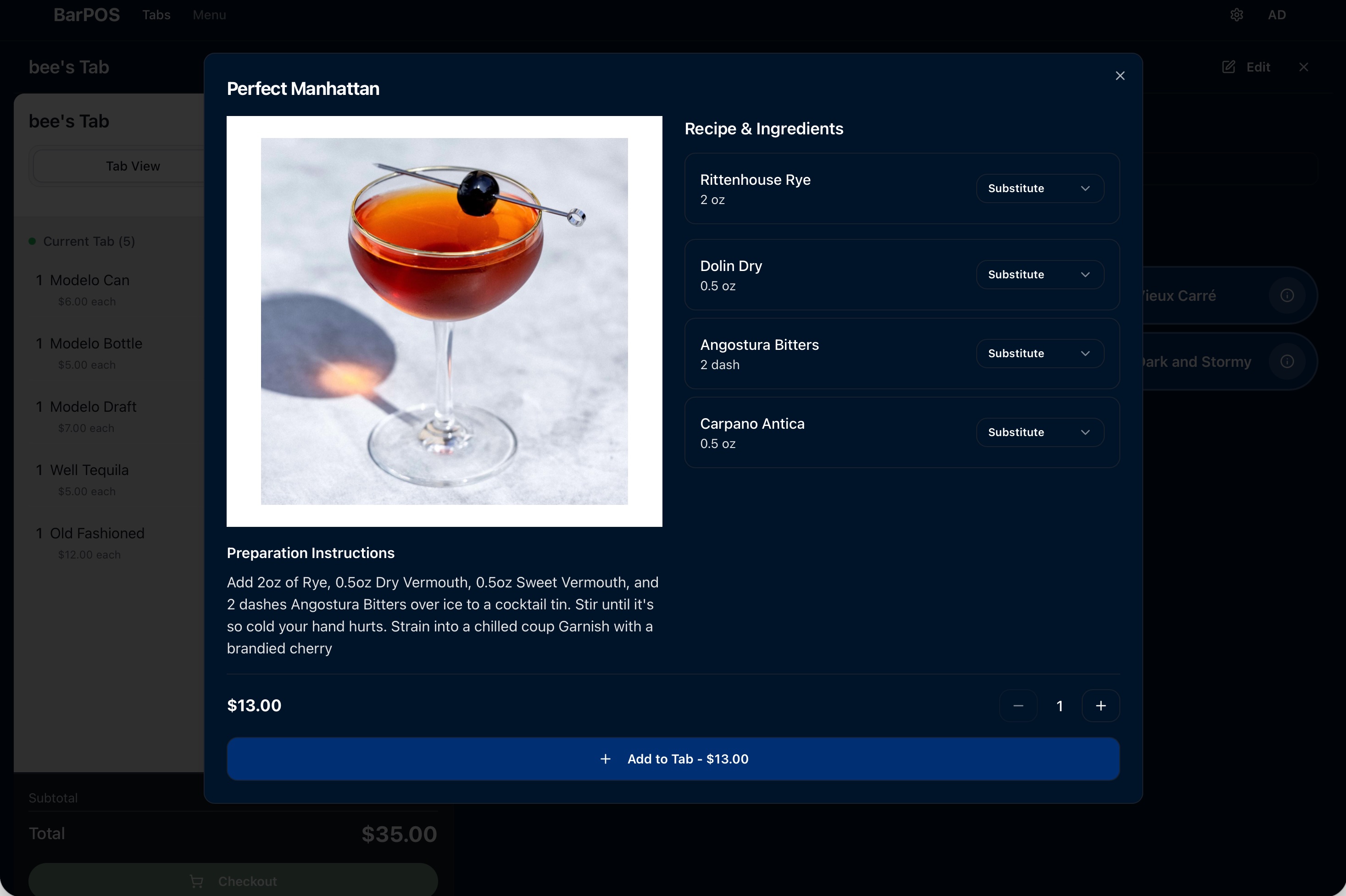
Item detail — recipe, ingredients, substitutions, and prep instructions in one view.
Scope of R1.
Service: order entry · tab and ticket management · 2-tap liquor and portion substitutions with proper price adjustments · cocktail recipes and prep instructions surfaced contextually · drink images for visual recognition.
Operations: menu management · real-time inventory tied to cocktail recipes · happy hour and special pricing rules · tip distribution · scheduling · staff certification tracking · tax reporting.
Platform: Stripe Terminal Bluetooth payments · Epson receipt printer and cash drawer integration · biometric auth · multi-tenant business → location → worker (PIN) auth with Postgres RLS enforcement · iOS and Android via Capacitor.
Where AI accelerated, and where it couldn't.
BAR POS was built with Claude Code as a constant collaborator. AI accelerated the work most where the work was patterned — the CRUD scaffolding, the form and validation layer for menu and inventory management, the dozens of edge functions that handle sync, the Capacitor iOS and Android wiring. Things that would have taken weeks alone took days with AI on the keyboard.
AI couldn't do the work, and shouldn't, on the decisions that came from operator experience. The local-first cache layers and what gets persisted vs. held in memory until explicit save. The Tab view / Ticket view distinction. The recognition that a tap saved during a rush matters more than an animation gained in setup. AI doesn't know what it's like to have a wrapped bar on a Friday at 11pm with fifty tabs open. I do, because I spent seven years there.
That's the pattern I bring to every project: AI does the work that benefits from speed and pattern-matching; I do the work that benefits from judgment and lived context; and the combination ships faster and sharper than either could alone.
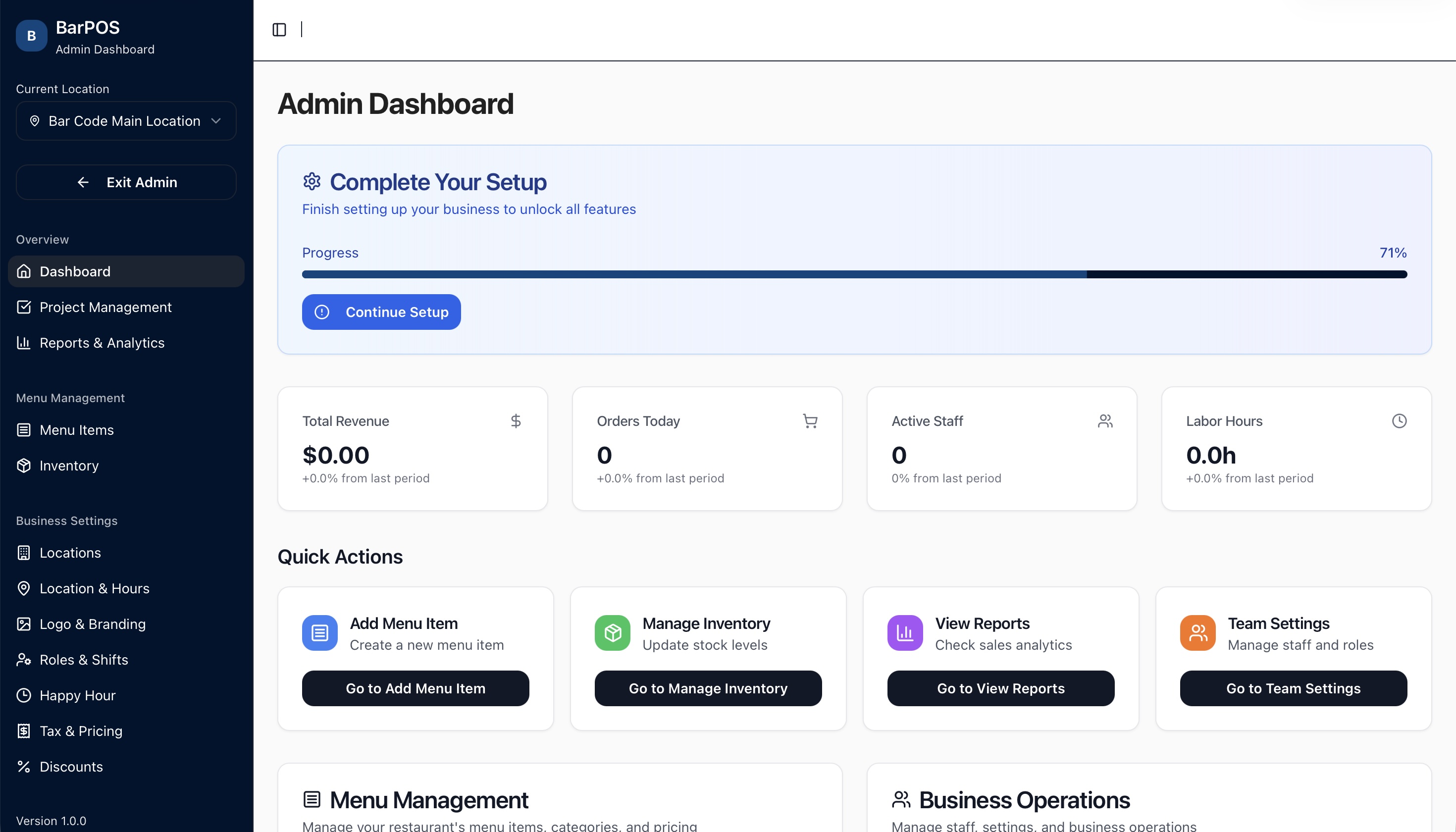
Admin dashboard — owner and operator view across menu, locations, team, and operations.
Pre-revenue. R1 feature-complete. Pilot venues onboarding. Q3 2026 launch.
Book a 30-min call.
If you're building something that needs a senior generalist who ships, the fastest way to find out if I'm a fit is a short conversation. No pitch deck.